
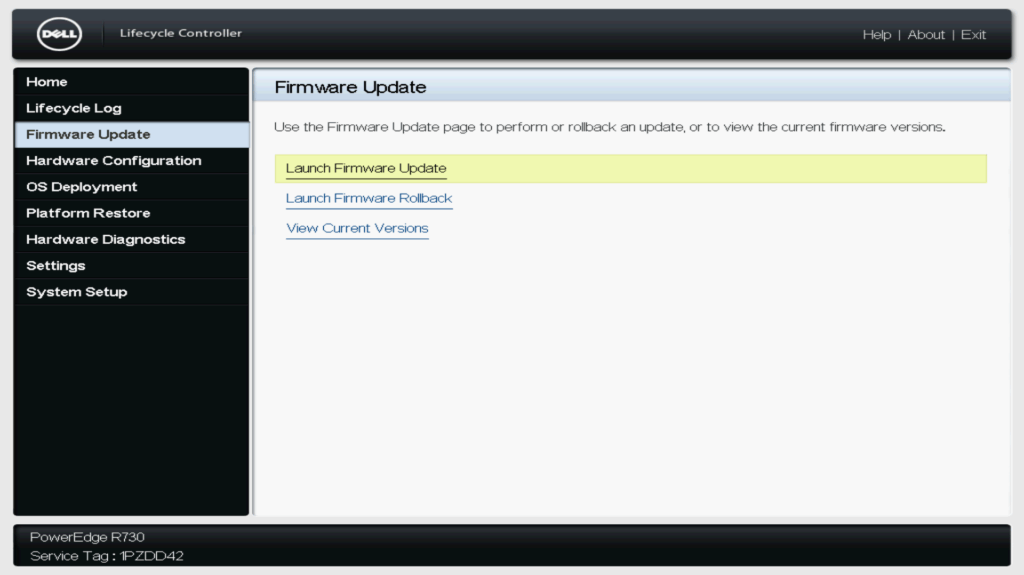
Access the LifeCycle Controller and select Launch Firmware Update under the Firmware Update menu.
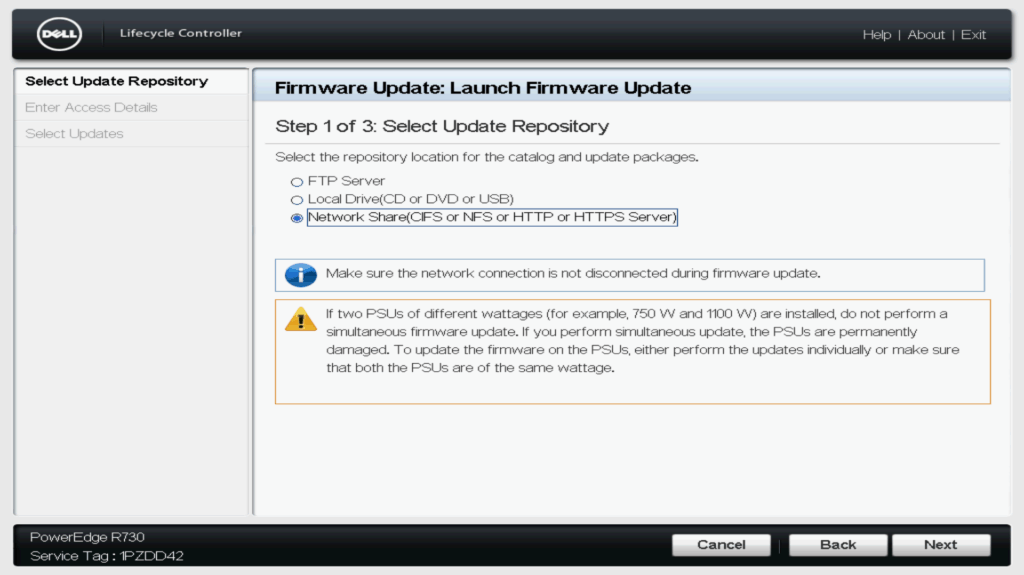
Select Network Share.
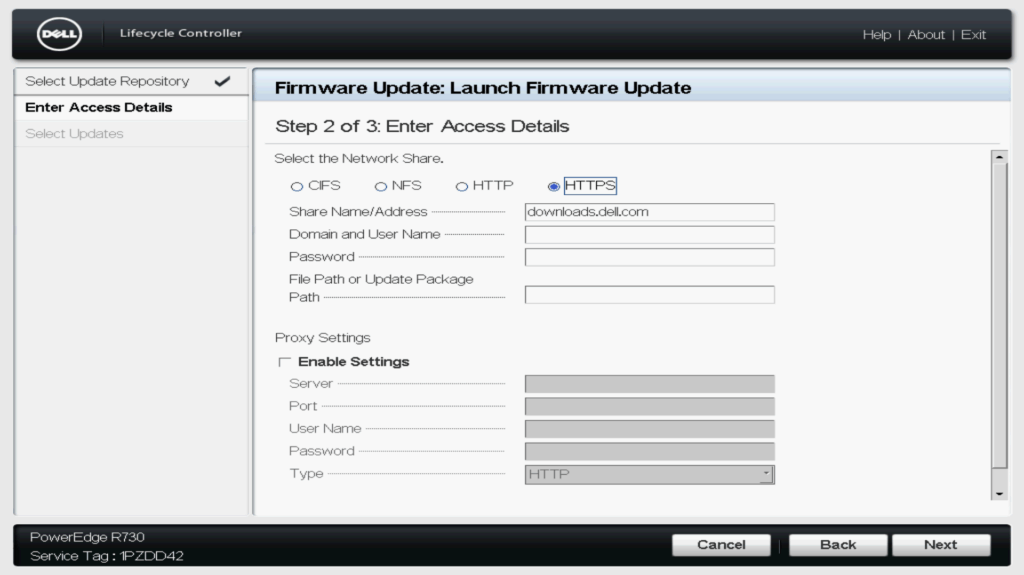
Select HTTPS, Check Share Name/Address
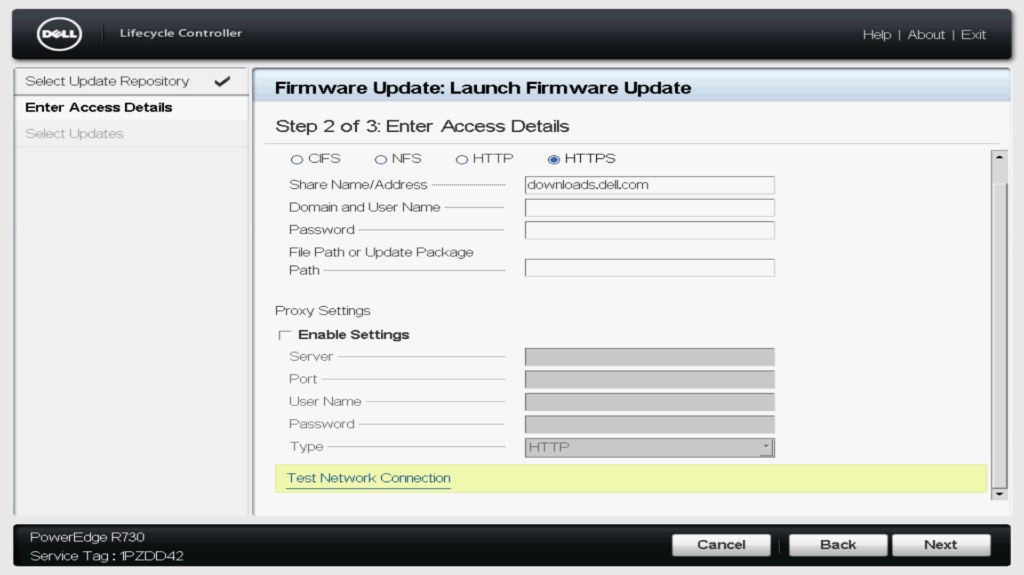
Select Test Network Connection
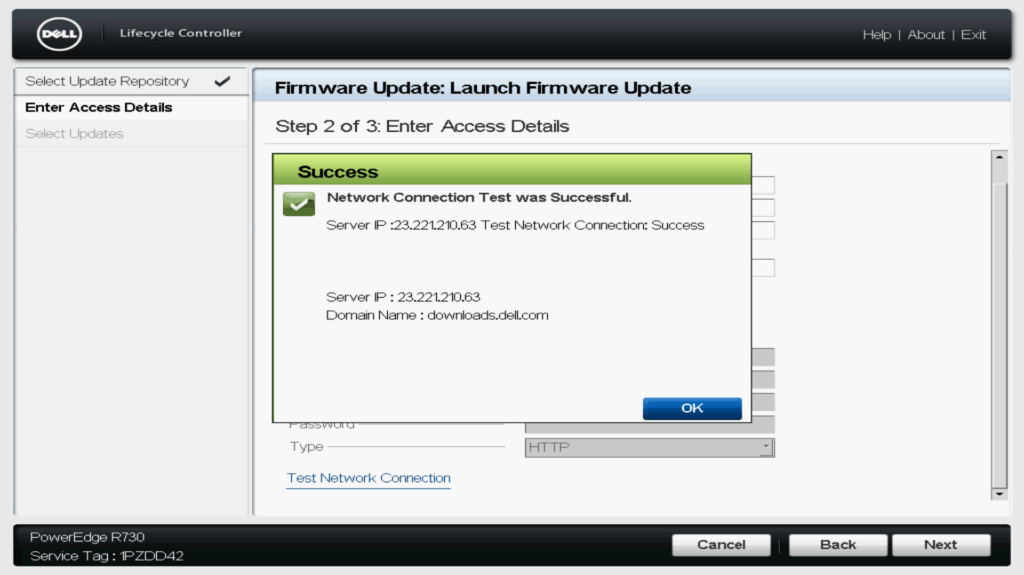
Check Connection Test
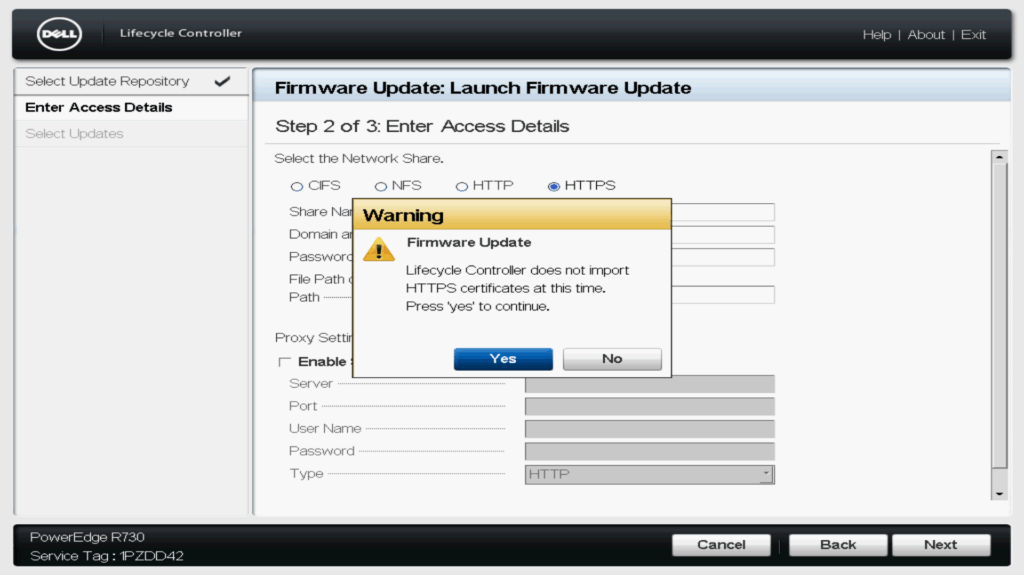
Continue
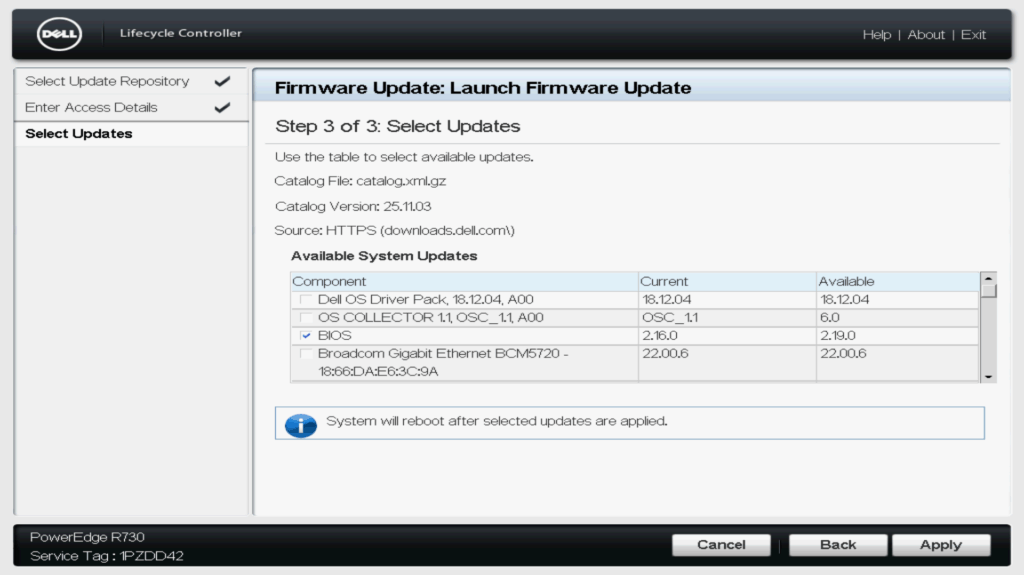
Verify the current and available firmware versions,
then select the desired option.
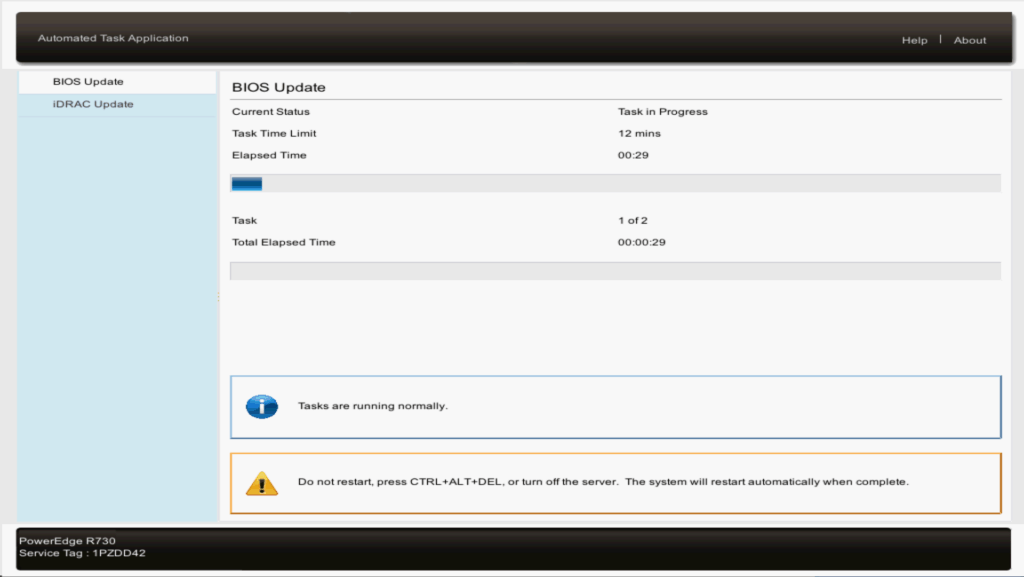
Check the update progress.
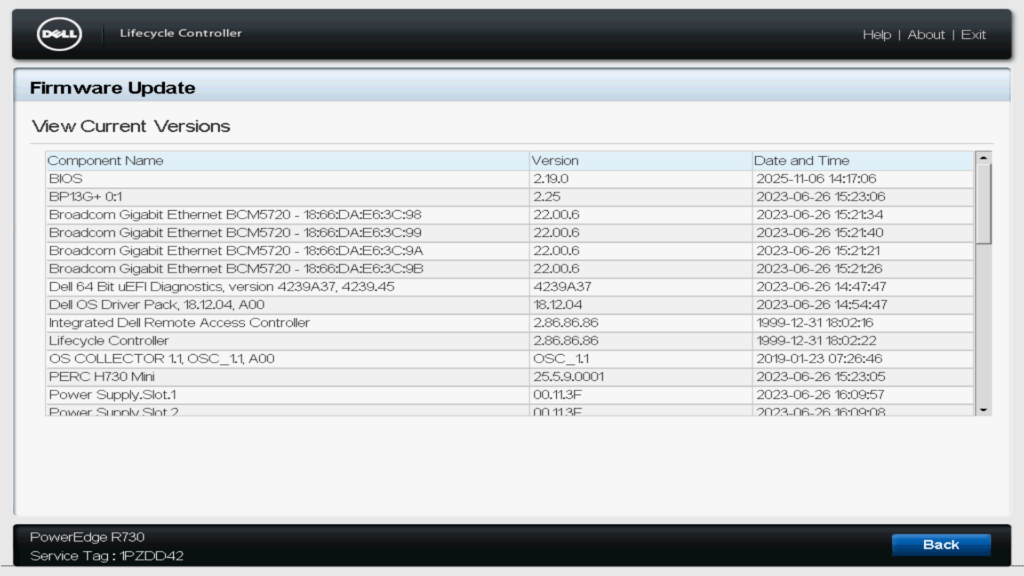
After the update is finished, verify that the version has changed to confirm the update was successful.